Description
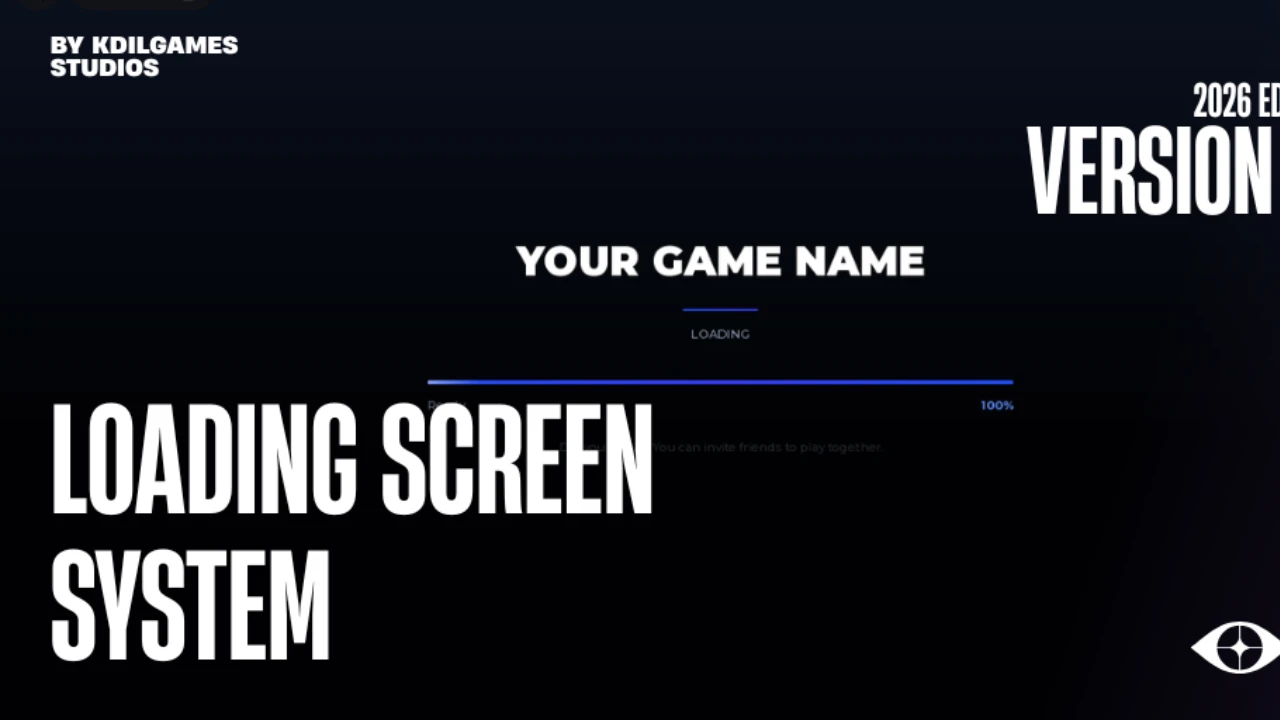
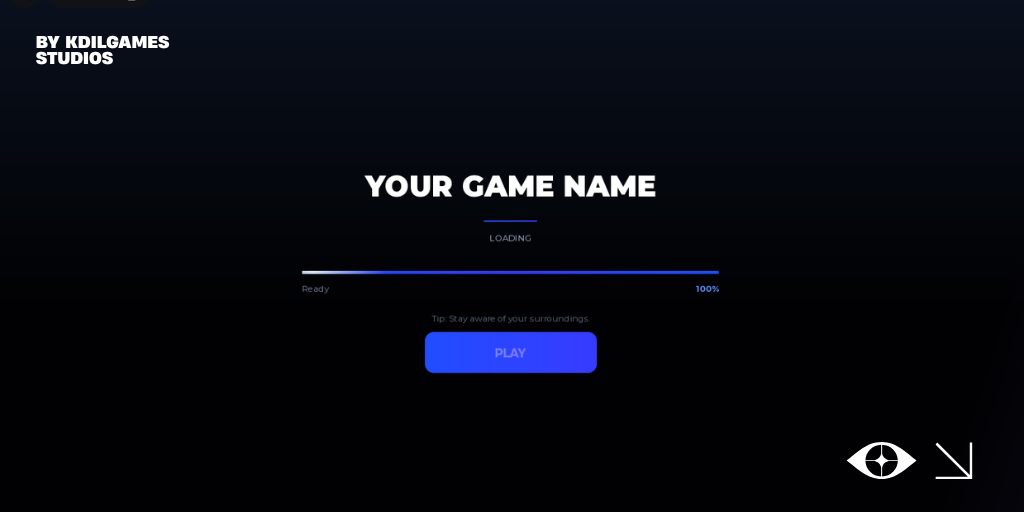
A clean, modern, production-ready loading screen for any Roblox experience. Built with smooth animation, real asset preloading, and a beautiful PLAY button flow.
[]Stunning modern UI — deep navy gradient, glowing accents, gradient progress bar
[]Buttery-smooth progress — the bar chases real loading progress, zero jitter
[]Real asset preloading — loads your Sounds, Images, Meshes & more before the game starts
[]Animated PLAY button — waits for the player to click before the game begins
[]Rotating tips — keep players engaged while they wait
[]Ambient animations — sweeping light, shine effects, fade in/out
[]100% configurable — everything tweaked from one simple CONFIG table
[]Clean, readable code — organized and commented throughout
📦 WHAT'S INCLUDED
Code:
ReplicatedFirst/
└── LoadingScreen/
├── UI (the full interface)
├── LoadingScreenController (the logic)
└── README (full documentation)
⚙️ HOW IT WORKS
[]The screen fades in and preloads your game's assets
[]A smooth bar fills to 100%
[]After the set time, a glowing PLAY button animates in and pulses
[]The player clicks PLAY — the screen fades out and the game begins
🛠️ FULLY CUSTOMIZABLE
Everything lives in one simple CONFIG table at the top of the controller script:
Code:
MIN_DISPLAY_TIME = 10 -- seconds before PLAY appears
SMOOTH_SPEED = 3.5 -- progress bar chase speed
HOLD_AT_100 = 0.45 -- pause before closing
TIPS_INTERVAL = 3.5 -- seconds per rotating tip
SHOW_PERCENT = true -- show/hide the % number
REQUIRE_CLICK = true -- wait for PLAY click (or auto-close)
TIPS = { ... } -- your own rotating tips
Don't want a button? Set REQUIRE_CLICK = false and it closes automatically.
🎨 EASY BRANDING
Change the title, subtitle, version and watermark directly in the Explorer — no coding needed. Swap the two accent colors and the whole design recolors instantly.
✅ SETUP IN SECONDS
[]Drop the LoadingScreen folder into ReplicatedFirst
[]Edit the title & branding to match your game
Done — it just
[]Stunning modern UI — deep navy gradient, glowing accents, gradient progress bar
[]Buttery-smooth progress — the bar chases real loading progress, zero jitter
[]Real asset preloading — loads your Sounds, Images, Meshes & more before the game starts
[]Animated PLAY button — waits for the player to click before the game begins
[]Rotating tips — keep players engaged while they wait
[]Ambient animations — sweeping light, shine effects, fade in/out
[]100% configurable — everything tweaked from one simple CONFIG table
[]Clean, readable code — organized and commented throughout
📦 WHAT'S INCLUDED
Code:
ReplicatedFirst/
└── LoadingScreen/
├── UI (the full interface)
├── LoadingScreenController (the logic)
└── README (full documentation)
⚙️ HOW IT WORKS
[]The screen fades in and preloads your game's assets
[]A smooth bar fills to 100%
[]After the set time, a glowing PLAY button animates in and pulses
[]The player clicks PLAY — the screen fades out and the game begins
🛠️ FULLY CUSTOMIZABLE
Everything lives in one simple CONFIG table at the top of the controller script:
Code:
MIN_DISPLAY_TIME = 10 -- seconds before PLAY appears
SMOOTH_SPEED = 3.5 -- progress bar chase speed
HOLD_AT_100 = 0.45 -- pause before closing
TIPS_INTERVAL = 3.5 -- seconds per rotating tip
SHOW_PERCENT = true -- show/hide the % number
REQUIRE_CLICK = true -- wait for PLAY click (or auto-close)
TIPS = { ... } -- your own rotating tips
Don't want a button? Set REQUIRE_CLICK = false and it closes automatically.
🎨 EASY BRANDING
Change the title, subtitle, version and watermark directly in the Explorer — no coding needed. Swap the two accent colors and the whole design recolors instantly.
✅ SETUP IN SECONDS
[]Drop the LoadingScreen folder into ReplicatedFirst
[]Edit the title & branding to match your game
Done — it just



 ReAwoken Studios